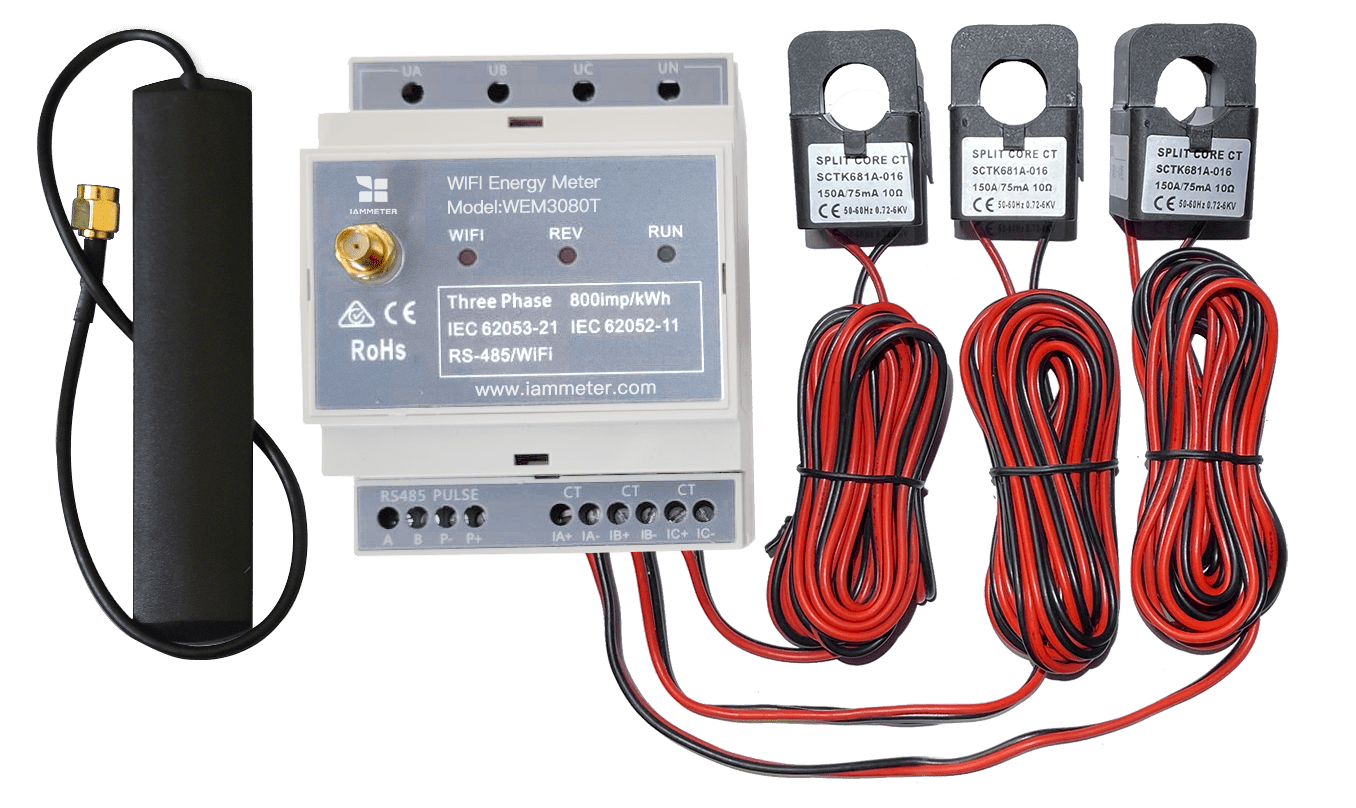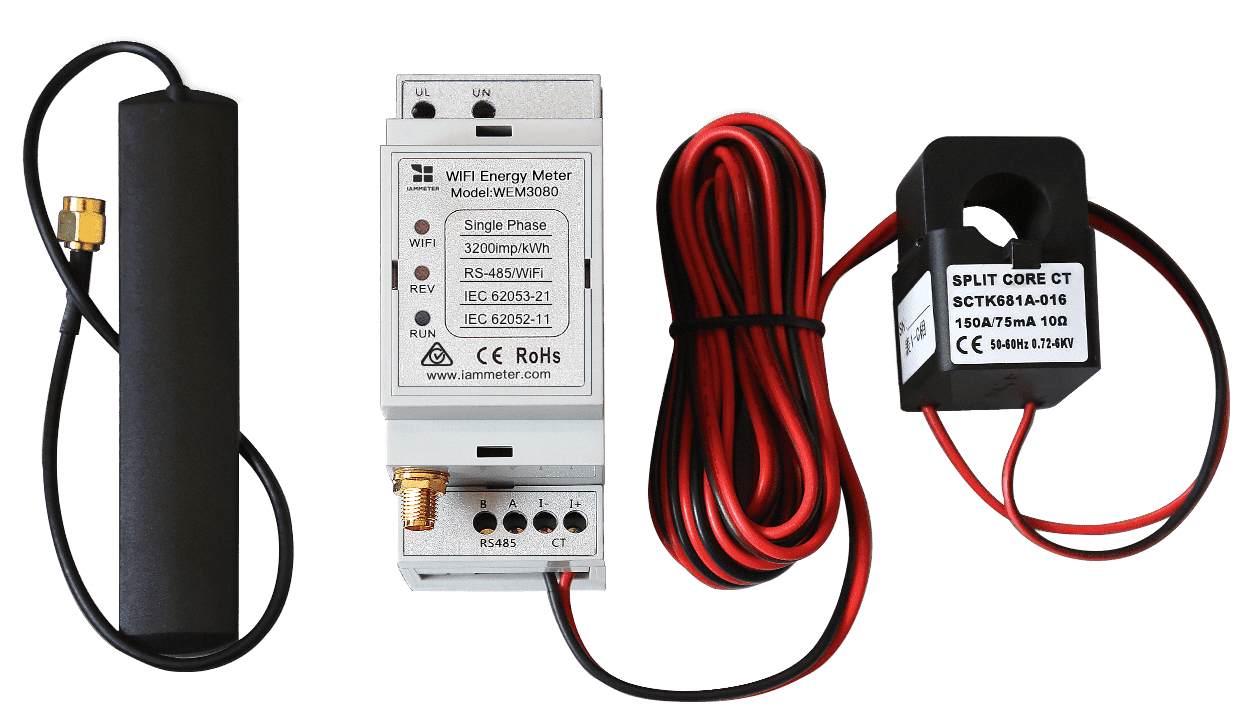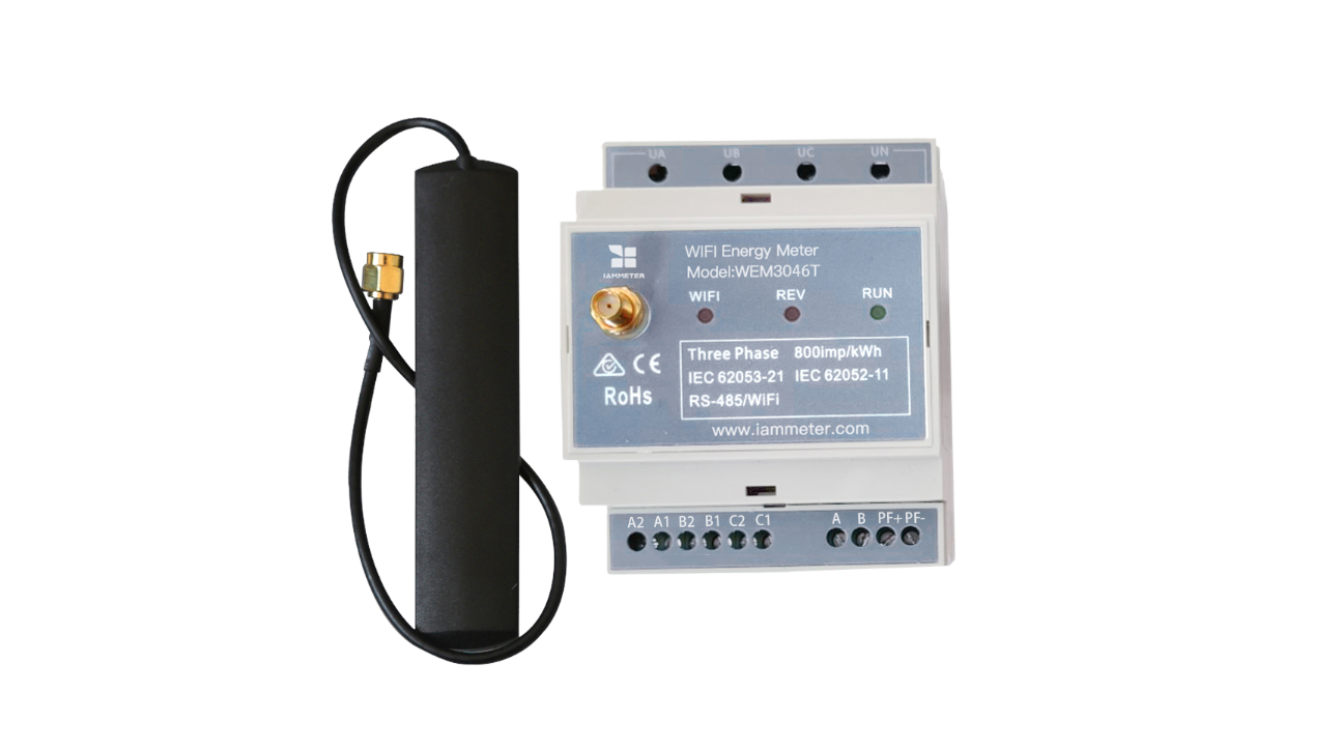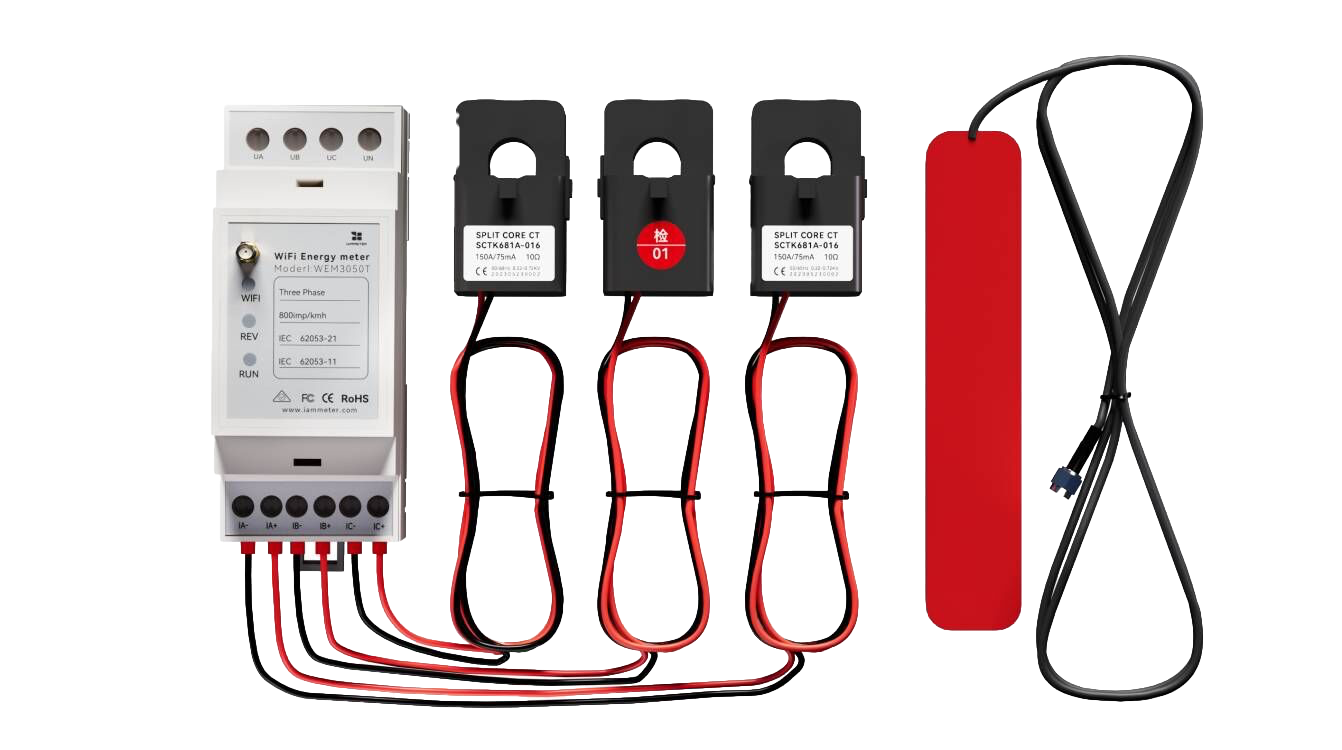




IAMMETER Wi-Fi Energy Meter: Local Integration & Open Interface Guide
IAMMETER Wi-Fi Energy Meter: Local Integration & Open Interface Guide
For developers, makers, and system integrators using IAMMETER meters with local access, open APIs, or self-hosted systems.
IAMMETER Wi-Fi energy meters are designed for both cloud-based monitoring and local/open integrations.
They provide multiple open interfaces — including HTTP API, MQTT, Modbus/TCP, TCP/TLS, and stand-alone local access — so developers can build their own:
- Energy Management Systems (EMS)
- Building Management Systems (BMS)
- Smart home automation systems
- Self-hosted dashboards and analytics platforms
This makes IAMMETER more than just a cloud-connected meter.
It can also act as an open data source for custom monitoring and automation workflows.
🔎 Looking for a complete solution built on these open interfaces?
IAMMETER’s local APIs and integration options can be used in:
👉 Home Energy Monitoring
👉 Solar Energy Monitoring
👉 Energy Cost Optimization
IAMMETER firmware is continuously upgraded.
This document lists the major local and open integration features supported by the latest firmware. (Continuously updated)
1) Firmware Update
Get the latest firmware releases here:
- Firmware Release Page (imeter.club): https://imeter.club/topic/11
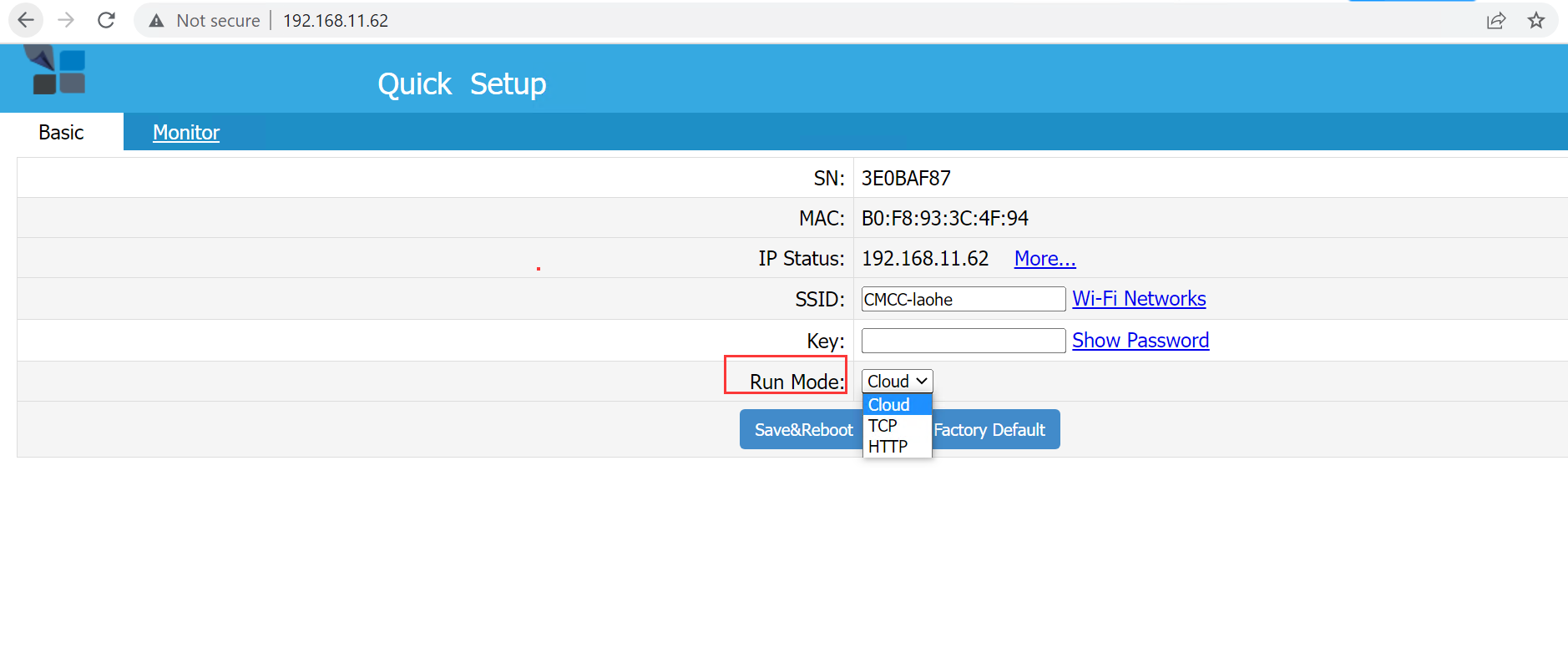
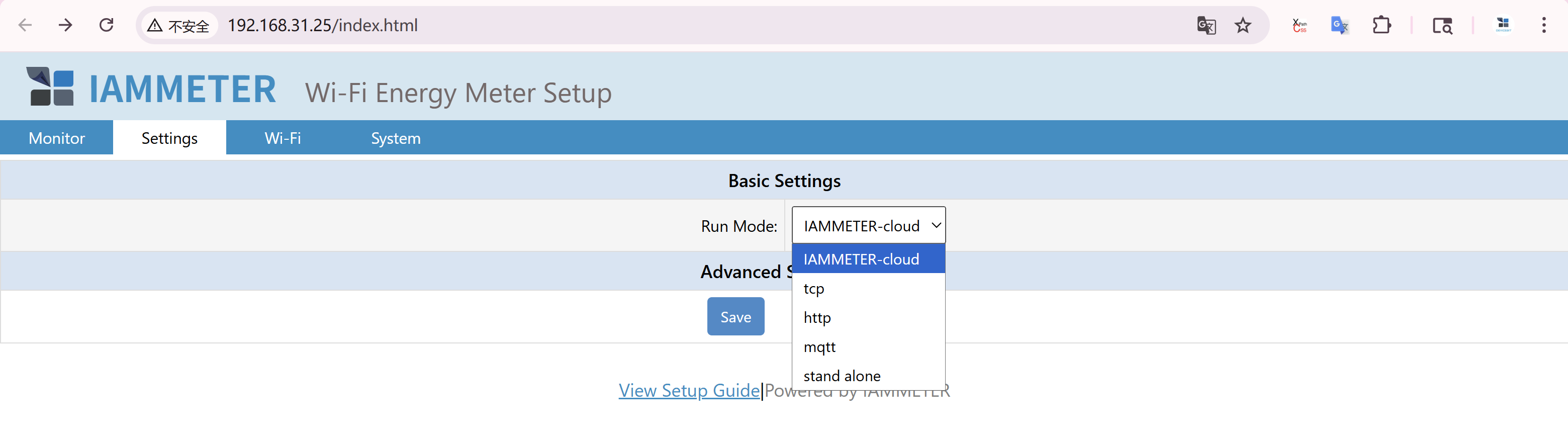
2) Run Modes (Non-Cloud)
Choose a mode based on how you integrate or use the device.
| Mode | Description | Typical Use |
|---|---|---|
| Cloud | Upload data to IAMMETER-Cloud | 🚫 Not covered in this article |
| TCP | Upload to third-party servers via TCP/TLS or MQTT | Local servers, custom brokers |
| HTTP | Upload to third-party servers via HTTP/HTTPS | Custom REST APIs / web backends |
| MQTT | Upload data directly to an MQTT broker | Only available in the latest firmware |
| Stand-Alone | No data upload; the meter acts as a local server responding to APIs or Modbus/TCP clients | Only available in the latest firmware |
Legacy Firmware UI
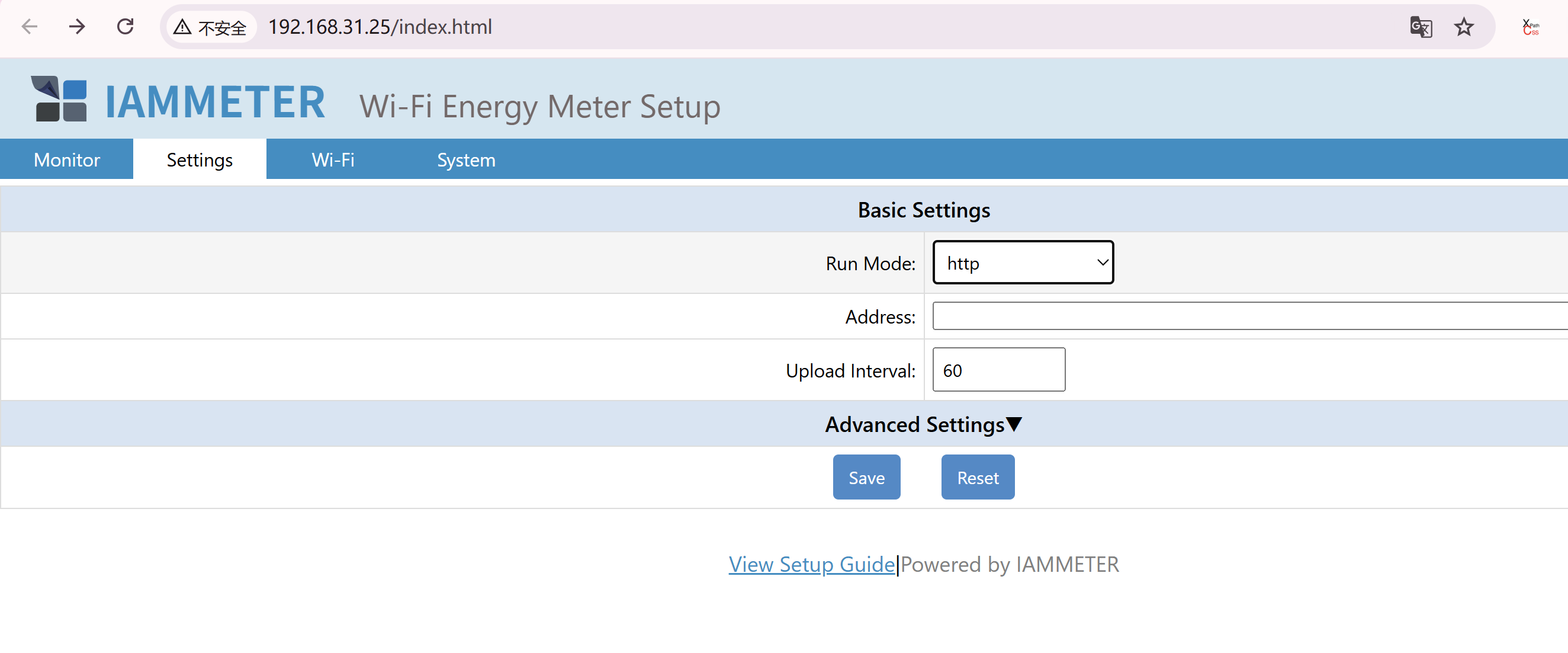
Latest Firmware WebUI
Why These Open Interfaces Matter
Many users do not want to rely only on a hosted cloud platform.
With IAMMETER’s open interfaces, you can:
- Keep all data inside your LAN
- Upload telemetry to your own server
- Integrate with Home Assistant or Node-RED
- Build custom dashboards and automation logic
- Combine energy data with tariff, solar, or load control logic
This is especially useful if your goal is not just monitoring, but also:
- reducing electricity bills
- increasing solar self-consumption
- building a smarter home energy system
💡 If your goal is to turn energy data into real savings,
you may also want to explore:
👉 Energy Cost Optimization
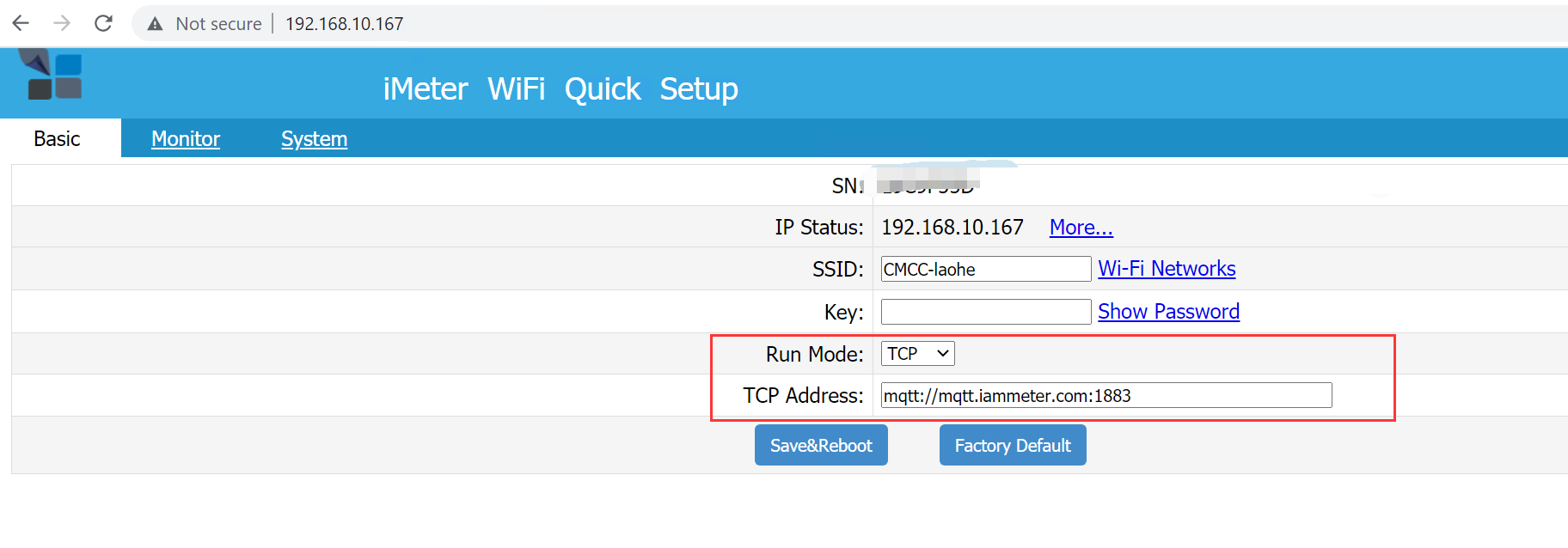
3) TCP / TLS / MQTT Integration
3.1 TCP & TLS
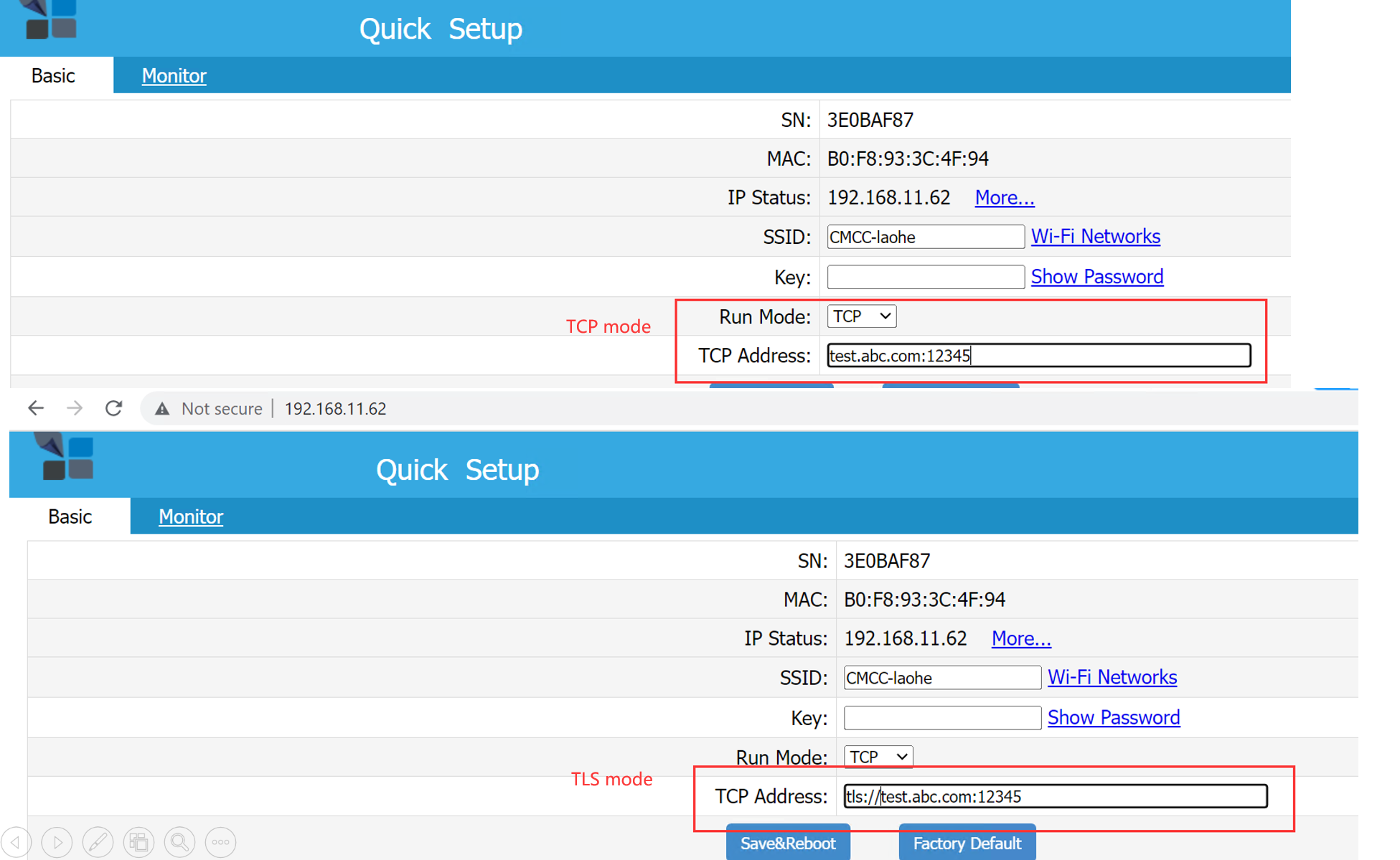
Meters can push data directly to your TCP/TLS endpoint.
🔹 New Firmware Configuration
The configuration process in the latest firmware is similar to previous versions.
Run Mode: tcp
Address:
- For a TCP server — enter
{domain}:{port}(for exampleabc.com:12345)
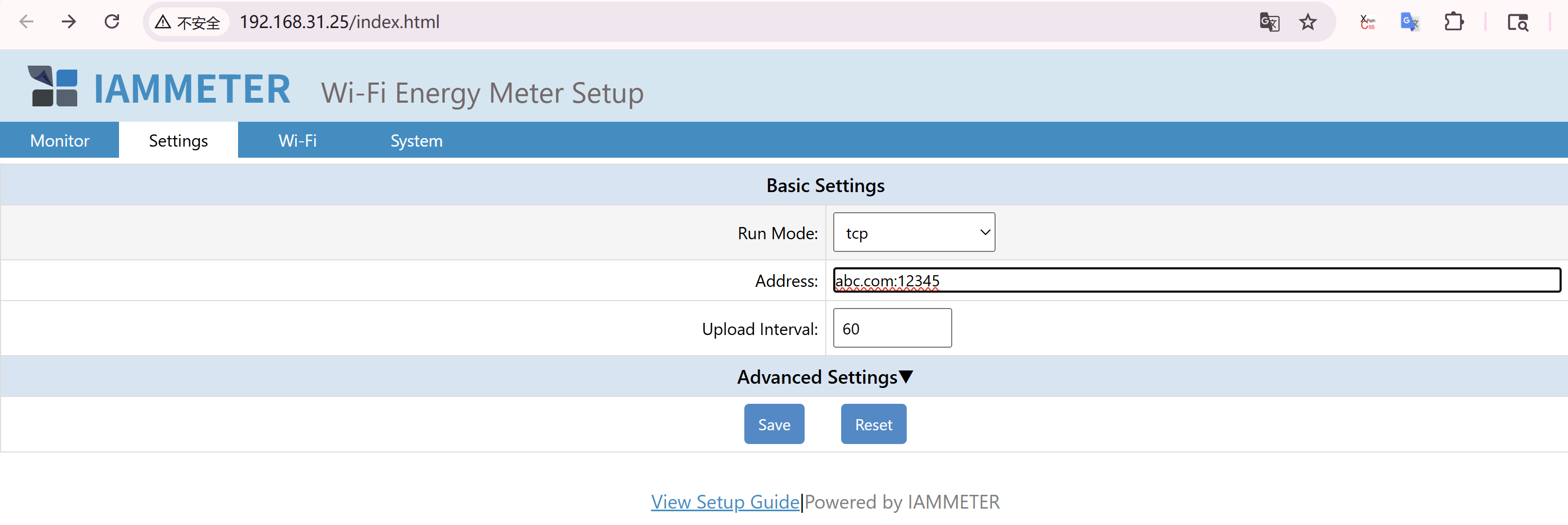
- For a TLS server — use
tls://{domain}:{port}(for exampletls://abc.com:12345)

Upload Interval: The minimum upload interval is 2 seconds.
🔹 Legacy Firmware Configuration
3.2 MQTT
🔹 New Firmware Configuration
Run Mode: mqtt
Address: Enter IP or domain with port, for example 192.168.11.163:1883
Username / Password: MQTT broker credentials (optional if not required by the broker)
Upload Interval: Minimum interval is 2 seconds.
HA MQTT Discovery: Enable MQTT Discovery in Home Assistant

🔹 Legacy Firmware Configuration
Publish telemetry to a local or public MQTT broker.
- Guide: MQTT Integration Guide
4) HTTP / HTTPS Integration
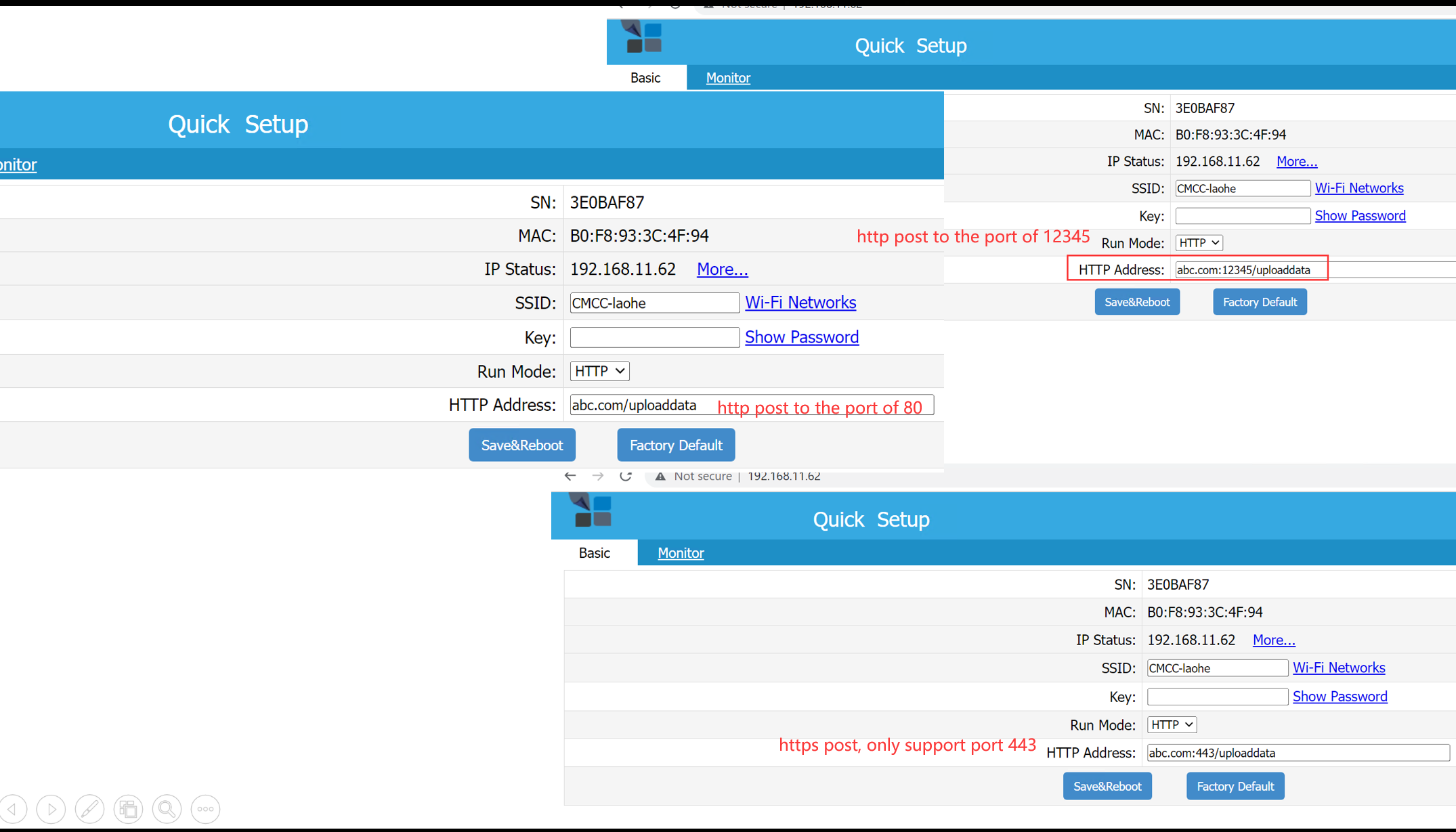
🔹 Legacy Firmware Configuration
Meters can post data directly to your custom server.
- Data payload format is identical to TCP/MQTT modes
- Any port can be used
- Port 443 enables HTTPS automatically
- Details: Upload via HTTP/HTTPS
🔹 New Firmware Configuration
Address: The input format is the same as the legacy firmware.
- If no port is specified, the default port is 80
- Only port 443 uses HTTPS post; all other ports use HTTP post
5) Local API (HTTP over LAN)
Access the meter locally via its LAN IP — no cloud connection required.
5.1 GET /api/monitorjson
Returns real-time measurement data.
Fields: Voltage, Current, Active Power, Forward/Reverse kWh, Frequency, Power Factor.
Example:
{
  "method": "uploadsn",
  "mac": "B0F8933C4F94",
  "version": "i.75.97.9",
  "server": "em",
  "SN": "3E0BAF87",
  "Datas": [
    [220.0, 9.99, 2198, 11.337, 11.201, 49.99, 1.00],
    [222.5, 9.99, 1100, 11.039, 10.908, 49.99, 0.50],
    [263.5, 9.99, 1213, 10.975, 10.846, 49.99, 0.55]
  ]
}
📘 Reactive Power Measurement Extension
5.2 GET /api/monitor
Advanced version of monitorjson, includes Wi-Fi signal info:
ssid— connected AP namesig— signal strength
5.3 GET /api/wifidata
Returns Wi-Fi and network configuration.
{
  "version":"i.75.97.9",
  "SN":"3E0BAF87",
  "mac":"B0F8933C4F94",
  "type":"PM",
  "ssid":"CMCC-laohe",
  "ip":"192.168.11.62",
  "netmask":"255.255.255.0",
  "gw":"192.168.11.253",
  "dns":"114.114.114.114",
  "dhcp":1,
  "runMode":"tcp",
  "uploadinterval":60
}
5.4 GET /api/uploadinterval?x=<seconds>
Sets upload interval (in seconds).
Works in non-Cloud modes (TCP/HTTP/MQTT).
In the latest firmware, this parameter can now be configured directly from the WebUI interface, without calling the API manually.
5.5 GET /api/mqtt
Configures MQTT credentials. 📘 MQTT Config API Docs
In the latest firmware, this parameter can now be configured directly from the WebUI interface, without calling the API manually.
5.6 GET /api/netmetring
Toggles Net Energy Metering (NEM) mode. 📘 Enable NEM Mode
In the latest firmware, this parameter can now be configured directly from the WebUI interface, without calling the API manually.
5.7 GET /api/ctcratio
Adjusts Phase C multiplier for split-phase or balanced scenarios.
x=2doubles Phase C readings (current, power, kWh) 📘 CTC Ratio Explanation
In the latest firmware, this parameter can now be configured directly from the WebUI interface, without calling the API manually.
5.8 GET /api/reactive
Enables or disables Reactive Power (Q) and Reactive Energy (kVARh) measurement. 📘 Reactive Power Documentation
In the latest firmware, this parameter can now be configured directly from the WebUI interface, without calling the API manually.
5.9 GET /api/ratio (only available for WEM3046T)
Since the WEM3046T uses external CTs with 5A secondary outputs, the measured values must be multiplied by the CT ratio.
Example:
/api/ratio?x=400
- Set ratio:
/api/ratio?x={ct_ratio} - Query ratio:
/api/ratio
Only WEM3046T supports external 5A CTs — this API is invalid for other models.
6) JSON Format Consistency
All communication modes — HTTP, TCP, MQTT, Local API — use the same JSON structure. 📘 JSON Data Definition
This consistency makes it much easier to build custom integrations, dashboards, and automation logic across multiple systems.
7) Modbus/TCP Support
IAMMETER meters natively support Modbus/TCP, allowing direct integration with:
- Home Assistant
- PLCs
- SCADA systems
- Modbus/TCP Overview
- Home Assistant Modbus Example
8) Supported Integration Scenarios
| System | Protocol(s) | Example Use | Reference |
|---|---|---|---|
| Home Assistant | HTTP / Modbus / MQTT | Dashboard & automation | Guide |
| Node-RED | HTTP / Modbus / MQTT | Automation flows | Guide |
| OpenHAB / ioBroker | HTTP | Local dashboards | Integration |
| Zabbix | HTTP | Monitoring dashboards | Integration |
| ThingsBoard | HTTP | IoT visualization | Integration |
| Custom Servers | HTTP / MQTT / TCP | Enterprise or local ingestion | Build Your Own System |
9) Resources
10) Developer Summary
| Capability | Access | Notes |
|---|---|---|
| Real-time local data | Local API | /api/monitorjson, /api/monitor |
| Third-party upload | TCP/TLS, HTTP/HTTPS | Same payload schema |
| MQTT publish | MQTT broker | /api/mqtt to set credentials |
| Net metering | Local API | /api/netmetring |
| Reactive power/energy | Local API | /api/reactive |
| Phase-C multiplier | Local API | /api/ctcratio?x=1 |
| CT Ratio (WEM3046T) | Local API | /api/ratio?x={ct_ratio} |
| Modbus/TCP | Modbus client | Compatible with HA / PLC / SCADA |
Start with Monitoring, Then Build Your Own System
IAMMETER’s local APIs and open protocols make it easy to start from simple monitoring and evolve toward a more advanced custom EMS or automation platform.
If you are looking for practical end-user solutions based on these capabilities, start here:
- 👉 Home Energy Monitoring
- 👉 Solar Energy Monitoring
- 👉 Energy Cost Optimization
Last updated: March 19, 2026