



Many homeowners want to understand their electricity usage, reduce energy waste, or lower their electricity bills — but most only see a monthly bill without knowing what actually drives the cost.
A residential electricity monitoring system provides real-time and historical visibility into your home's energy usage, helping you identify high-consumption devices, peak usage periods, and opportunities for optimization.
With IAMMETER, you can monitor your home electricity system using a WiFi energy meter and IAMMETER-Cloud. The system not only tracks energy usage but also generates daily and monthly electricity bills, helping you better understand and manage your energy consumption.
🔎 Looking for a complete solution?
This guide is part of IAMMETER’s
👉 Home Energy Monitoring Solution
where you can learn how to monitor, analyze, and optimize your household electricity usage.
IAMMETER is more than just an electricity meter. It provides a complete solution combining:
This allows you to start with basic monitoring and gradually move toward smarter energy optimization.
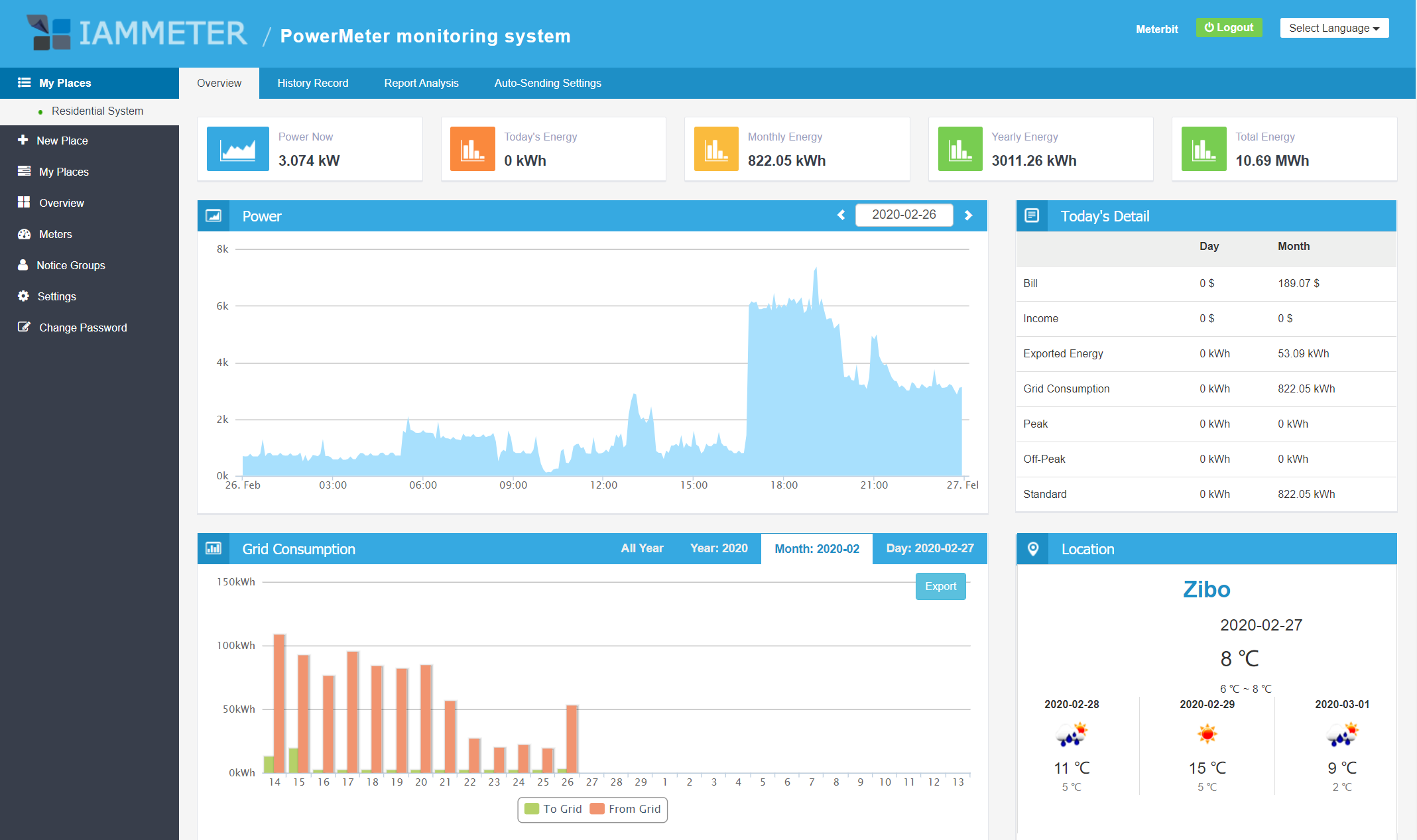
View real-time data and key metrics in a clear overview dashboard.
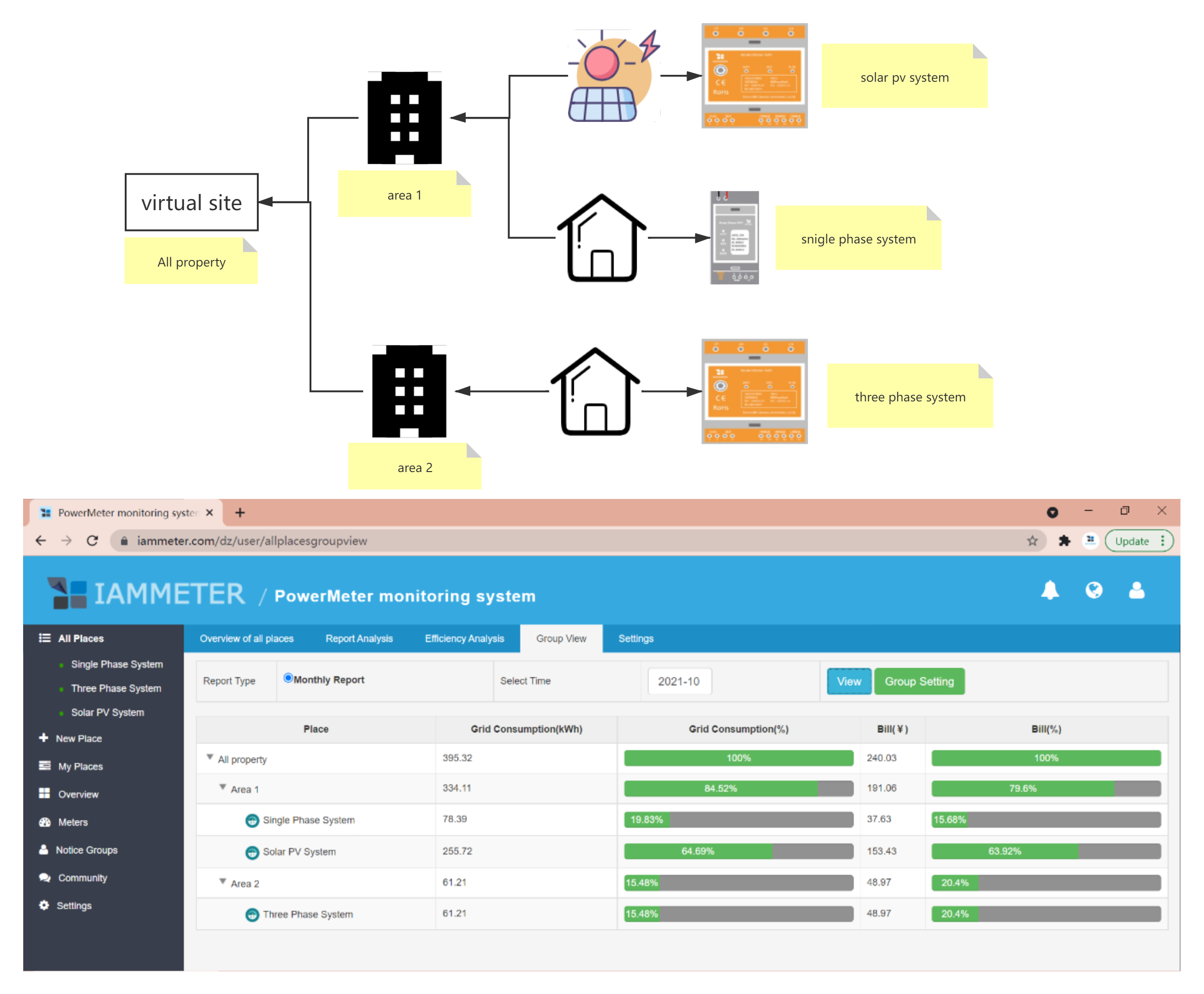
View energy consumption and electricity bills together for different locations.
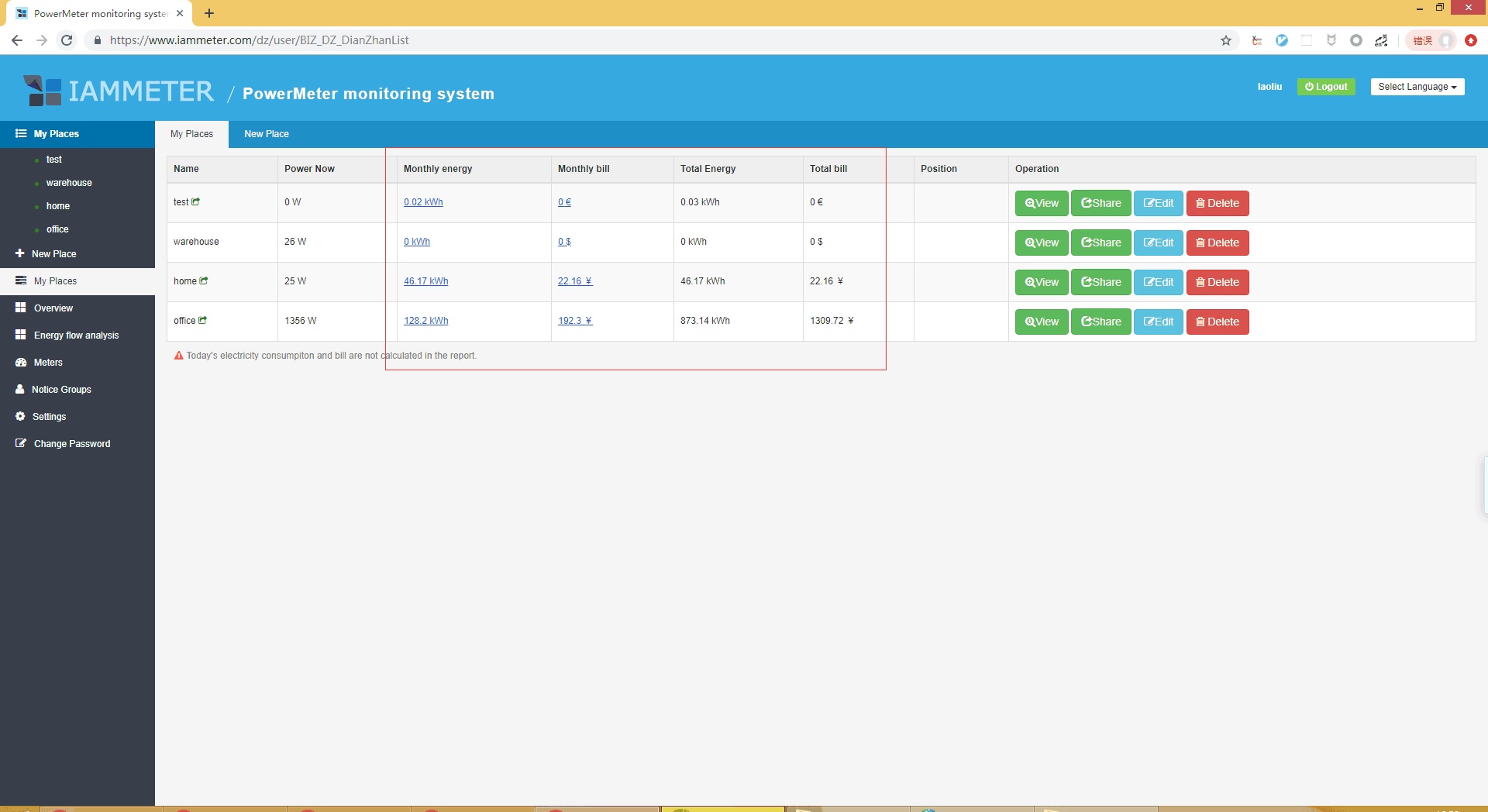
Visit Chapter 4.12 for details.
Customize billing periods if your billing cycle does not start on the first day of each month.
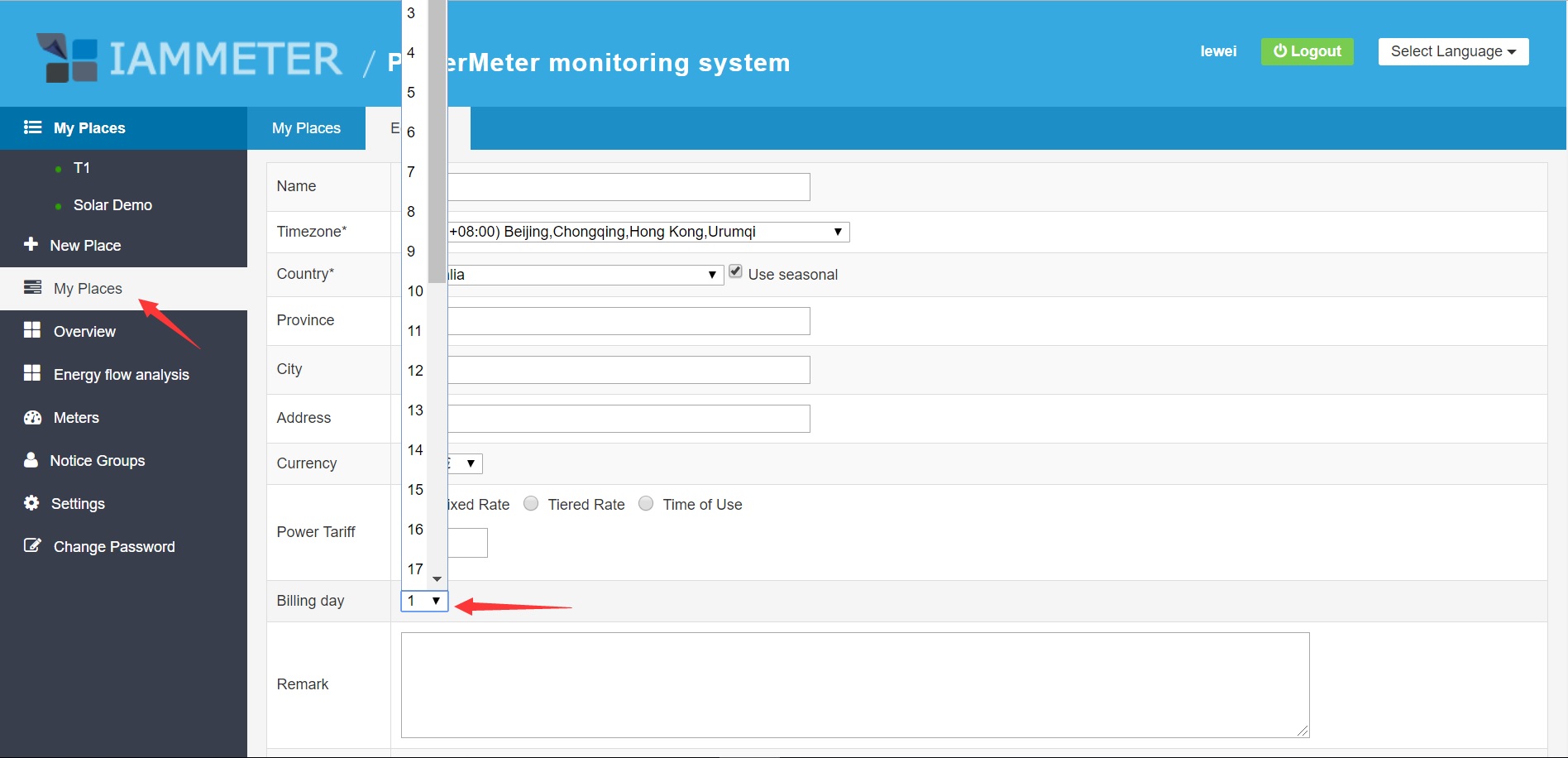
Visit Set bill date for details.
Generate detailed electricity billing reports.
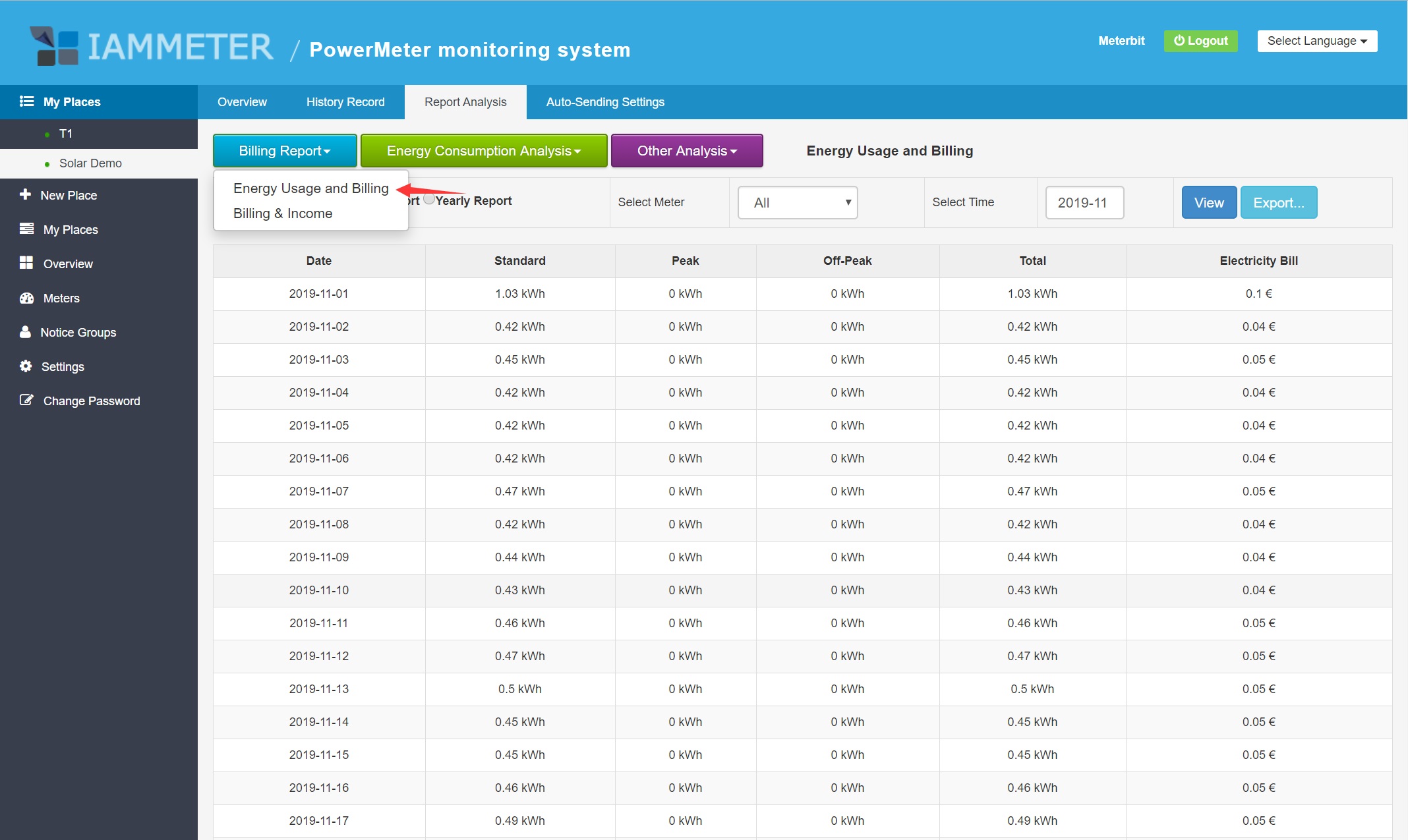
Visit Billing Report for details.
Analyze your energy usage patterns in depth.
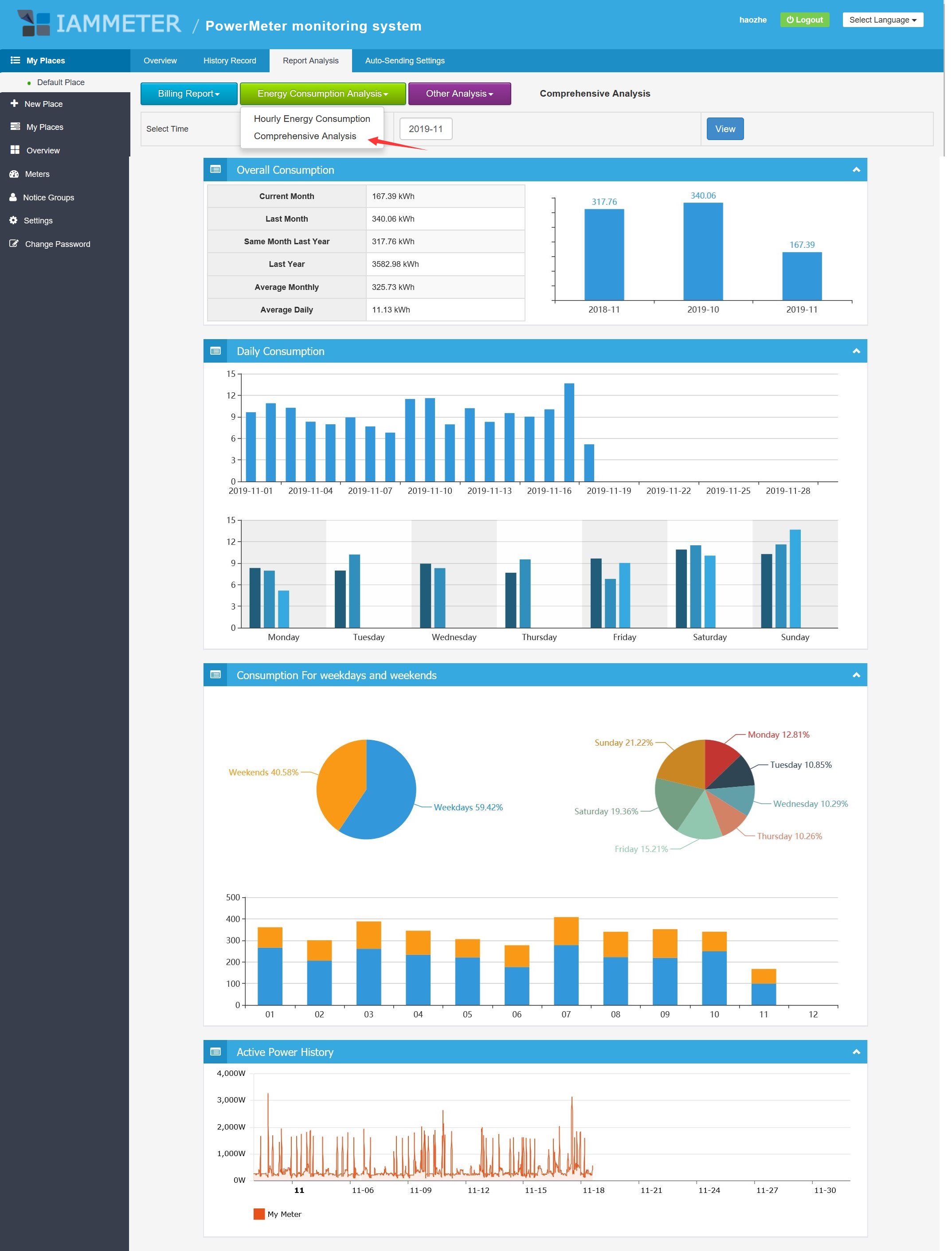
Visit Energy Consumption Analysis for details.
Understand how different loads contribute to total consumption.
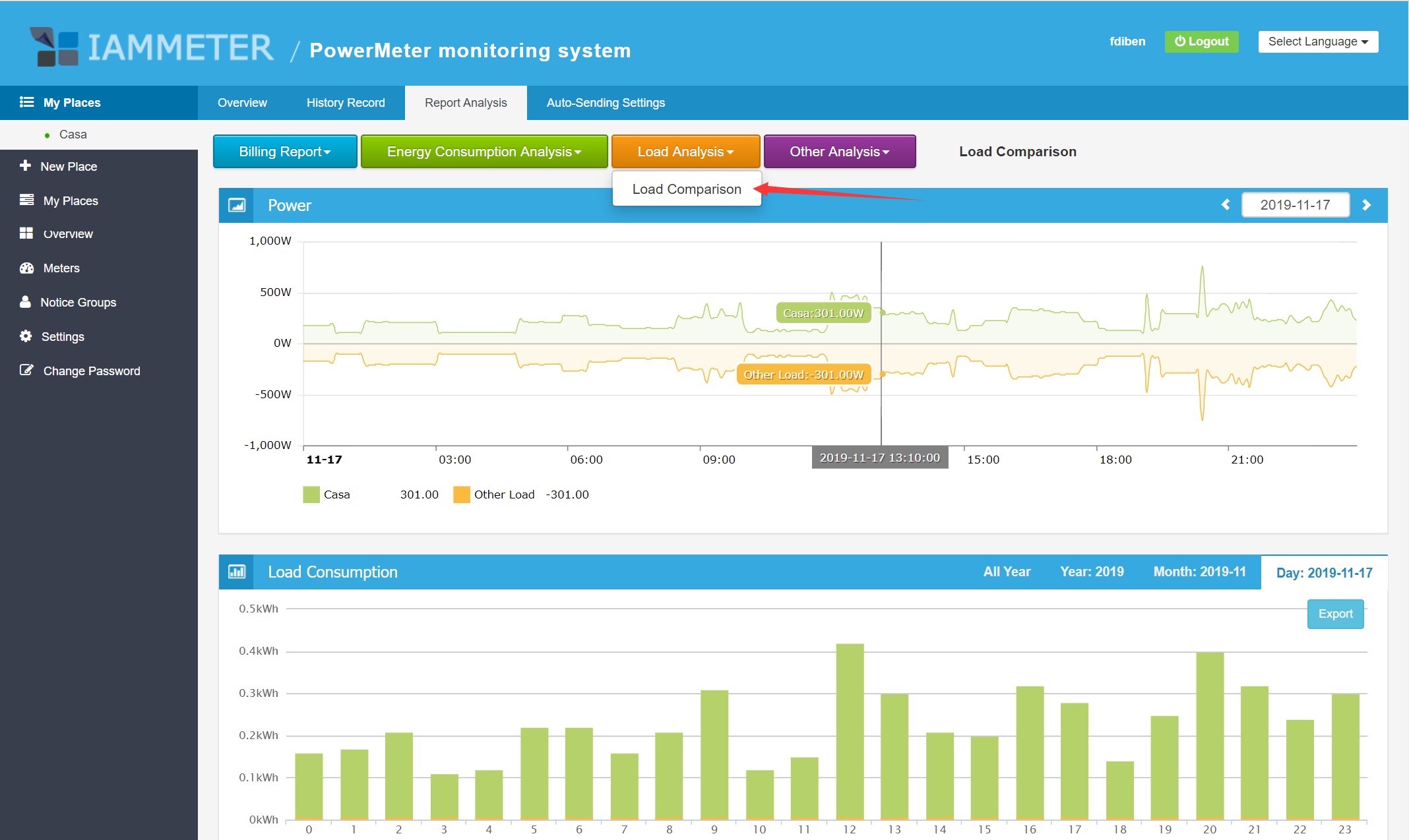
Visit Load Analysis for details.
Detect abnormal energy usage by defining thresholds.
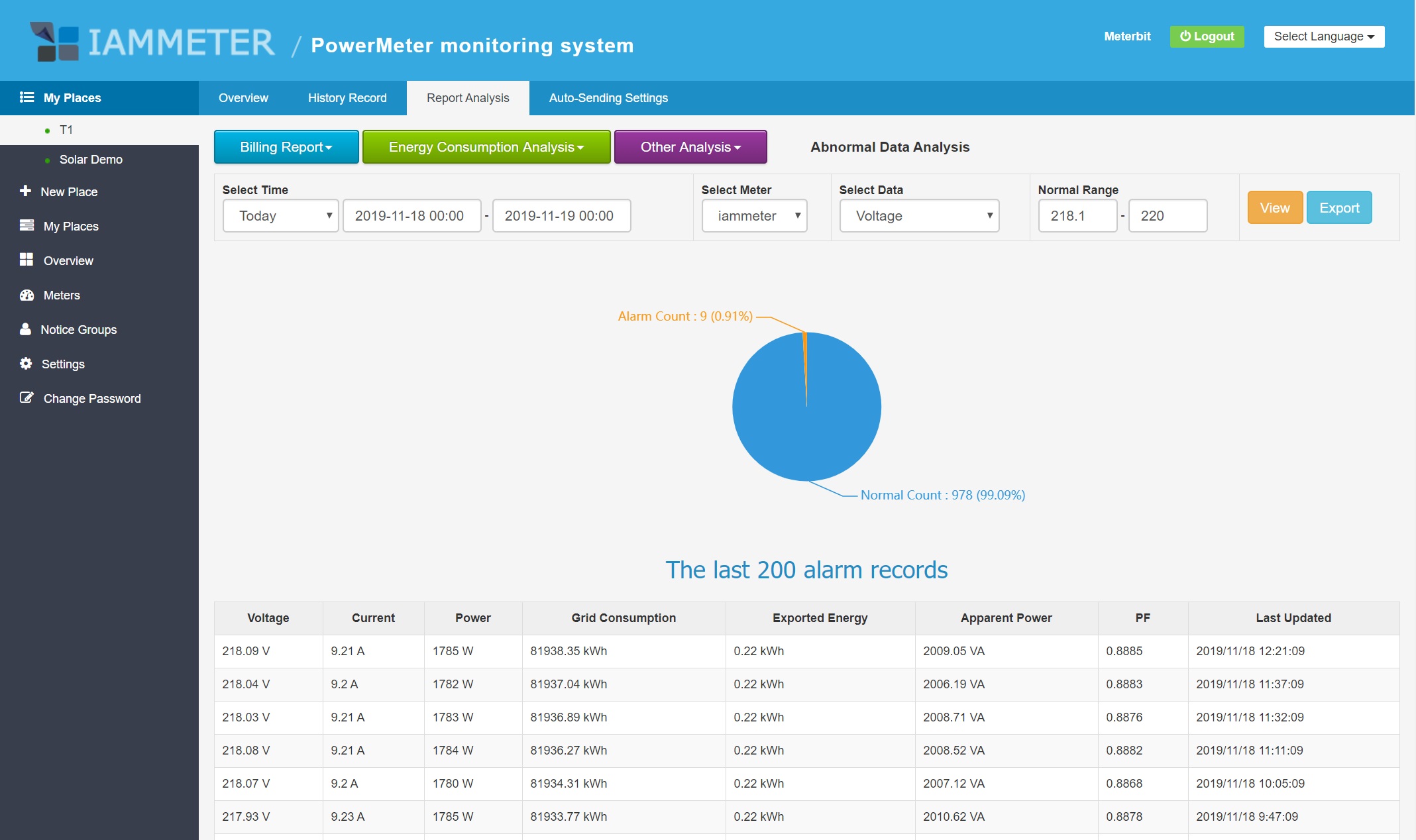
Visit Abnormal Data Analysis for details.
Support multi-level management for installers and service providers.
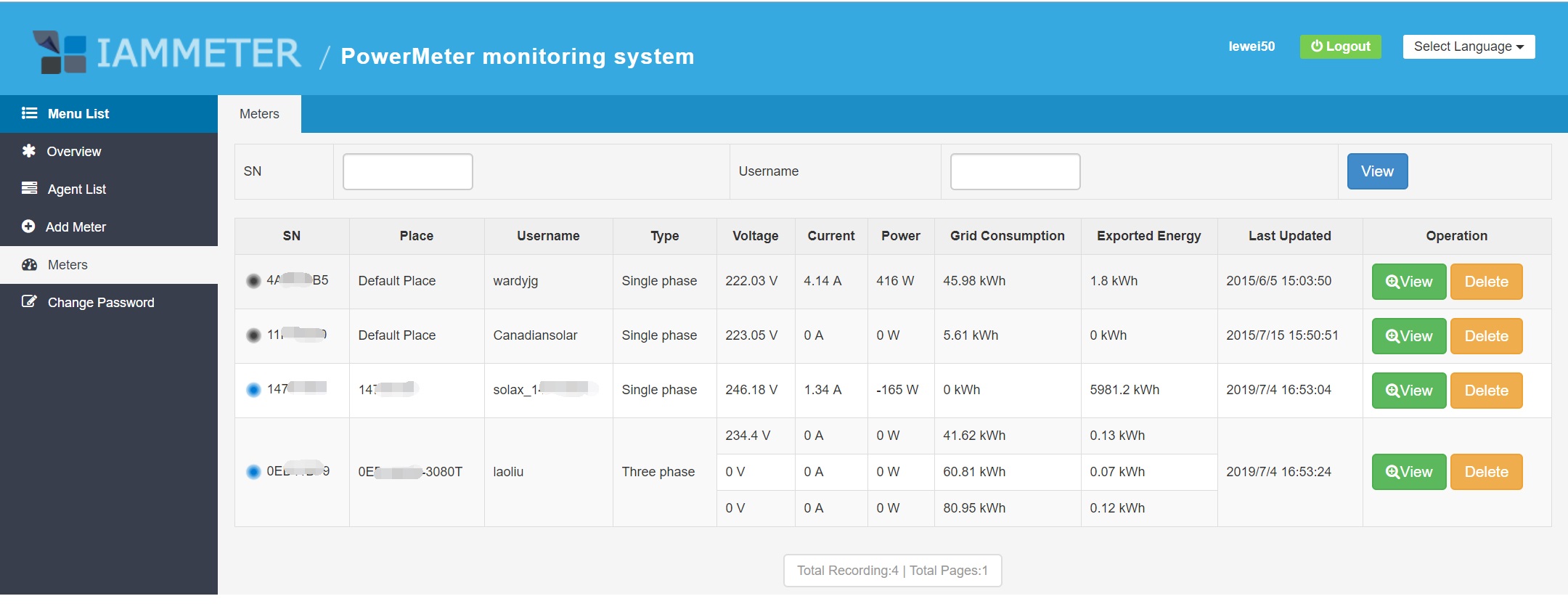
Visit Agent Function
and Create users
Compare energy usage across multiple locations.
Monitoring is only the first step. The real value comes from using data to reduce electricity costs.
With IAMMETER, you can:
💡 If your goal is to reduce electricity bills,
explore IAMMETER’s
👉 Energy Cost Optimization Solution
to learn how to turn energy data into real savings.
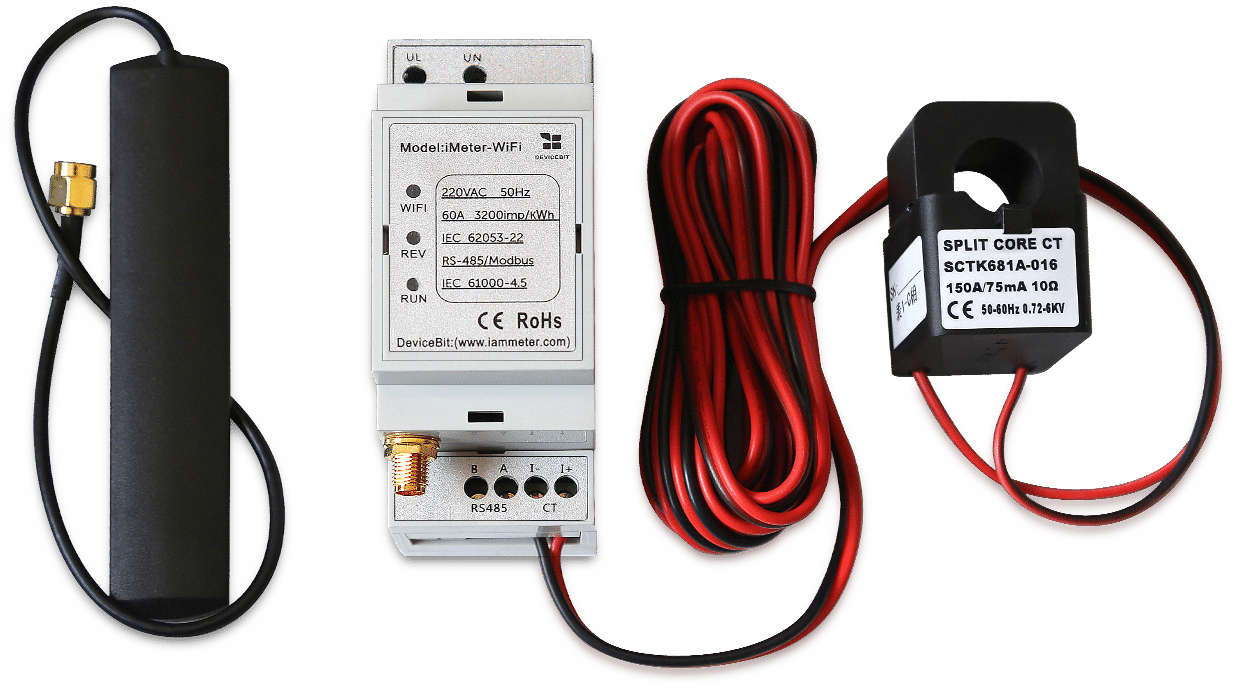
Visit WEM3080 quick start
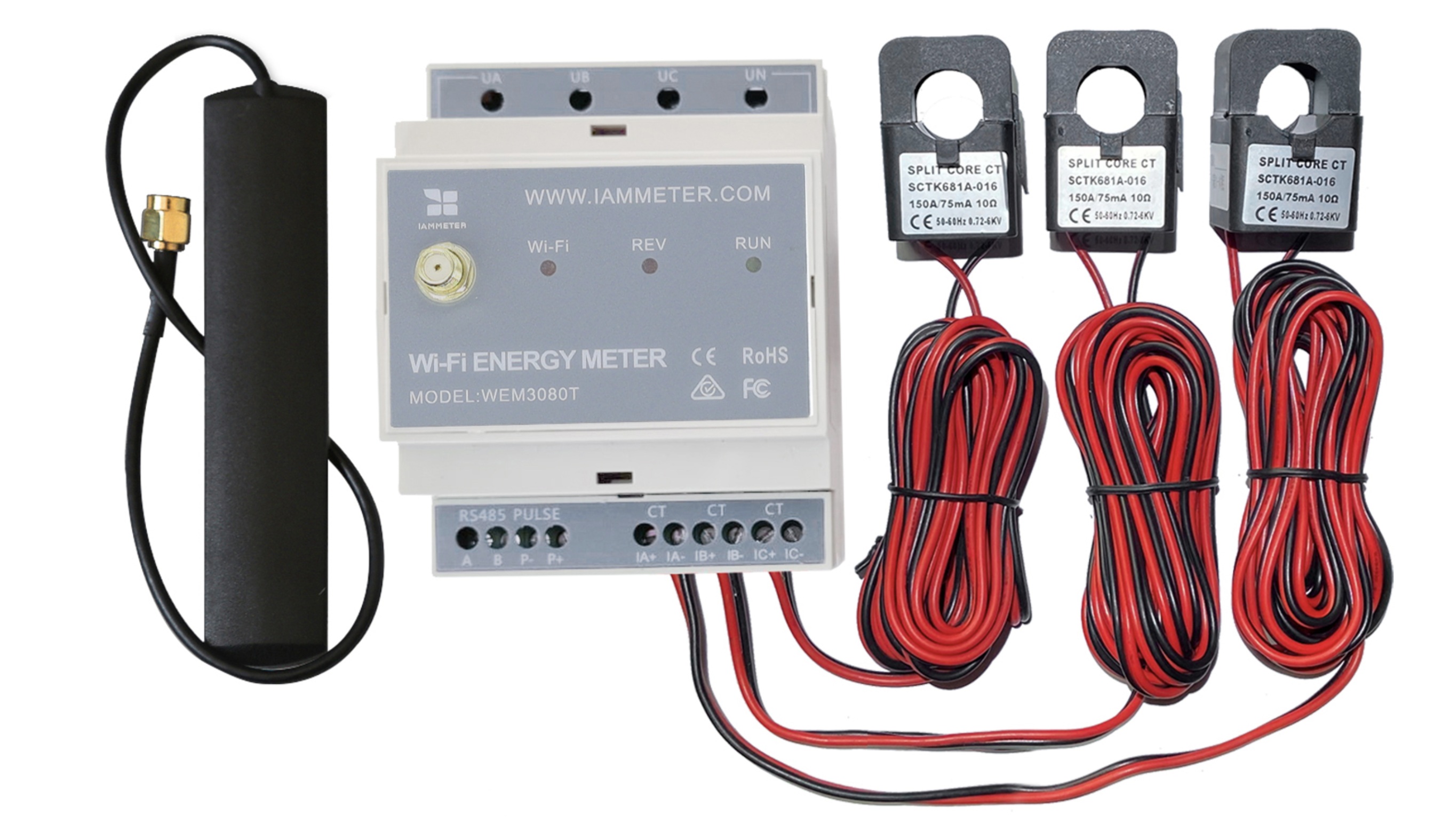
Visit WEM3080T quick start
Try the live IAMMETER-Cloud demo:
Note:
With IAMMETER, you can start with simple monitoring and gradually build a smarter energy system.
👉 Explore the full solution:
Home Energy Monitoring Solution
👉 Explore all IAMMETER solutions:
https://www.iammeter.com/solutions/
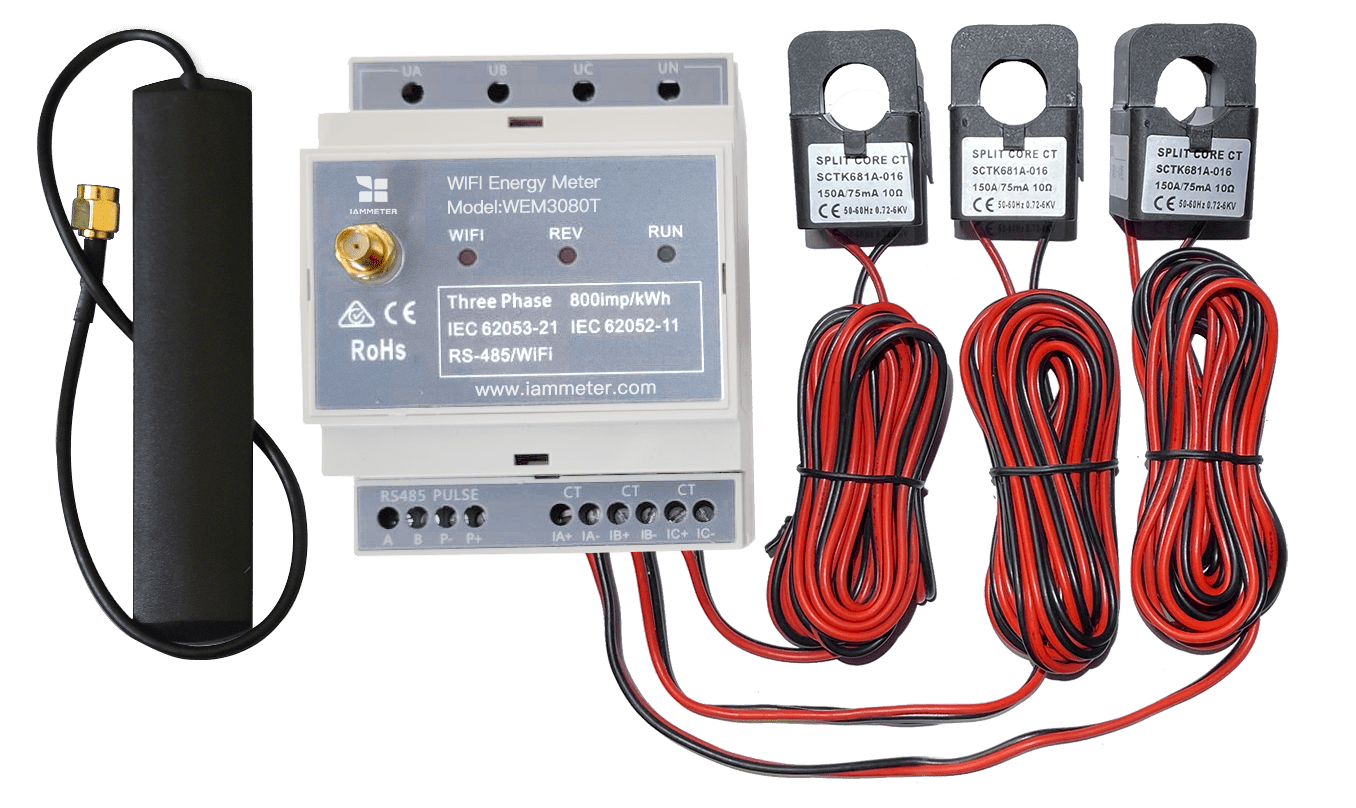
Three Phase Wi-Fi Energy Meter (WEM3080T)
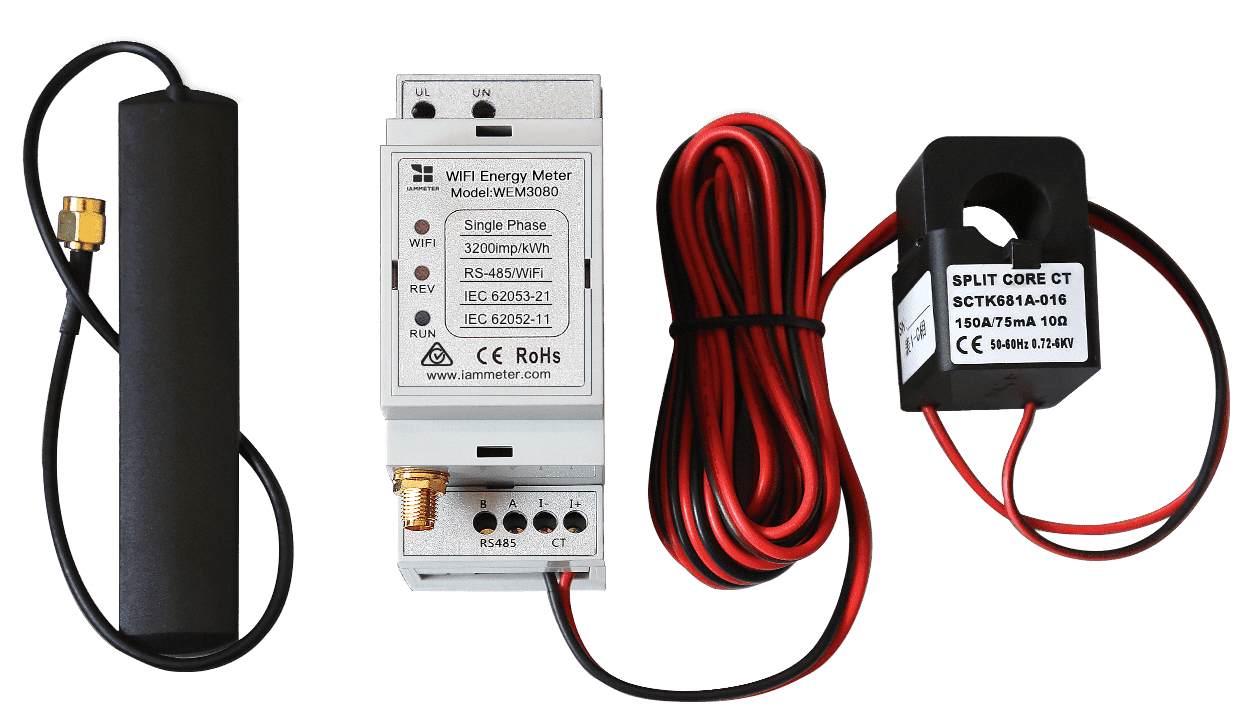
Single Phase Wi-Fi Energy Meter (WEM3080)
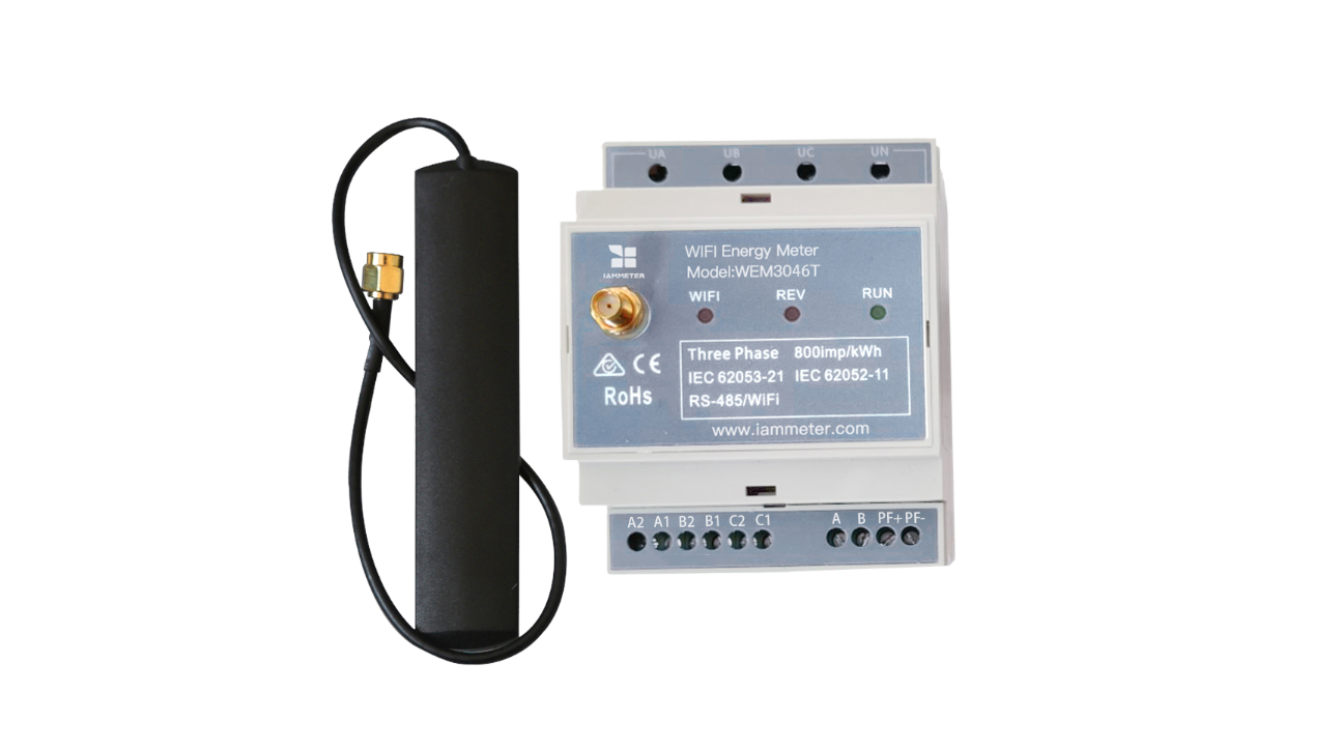
Three Phase Wi-Fi Energy Meter (WEM3046T)
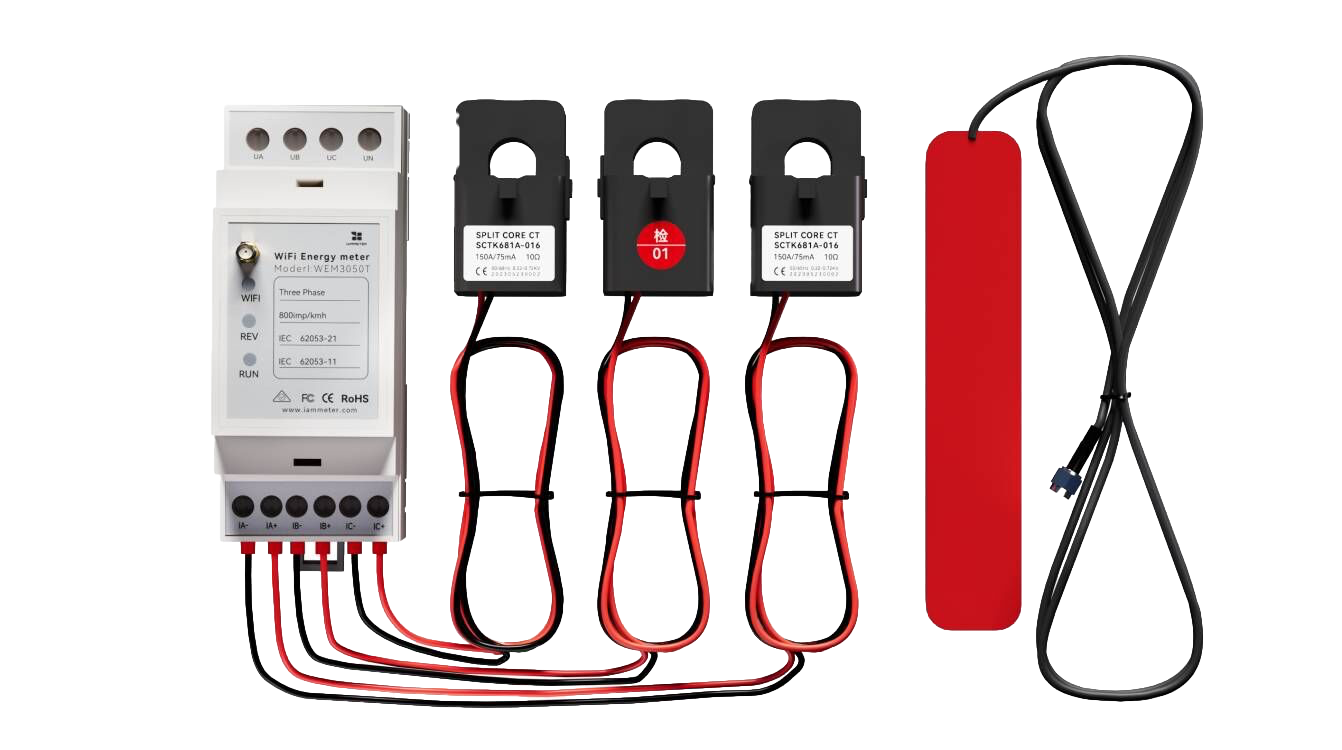
Three Phase Wi-Fi Energy Meter (WEM3050T)